

Web Release 260.0
Redesigned navigation and logo, manager access to the Public API, updated API/MCP guidance, and fixes for Analytics PDF reports.
 By Denny Beats, Product Owner

New
Refreshed navigation and logo
The left menu has been redesigned across Publishing, Analytics and Builder. In Publishing, project tiles and a separate account panel put project selection, search and the All / My / Manager filters alongside your folders.
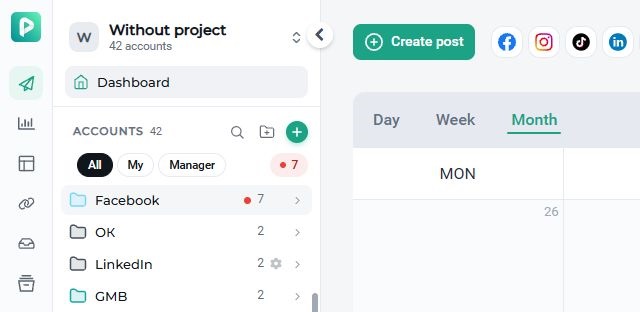
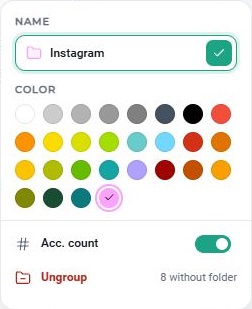
Folder settings are now in a compact panel: rename a folder, choose its color, show or hide the account count, or ungroup it. Account avatars now display a social network badge without a colored border.
The new Onlypult logo is also on the website, in the blog and in the app, including login pages and notifications. Your existing projects, folders and plan stay in place.
Public API and MCP updates
Managers can now access profiles assigned to them through the Public API. See the profile reference.
The updated Public API and MCP documentation explains how to create Telegram Stories: set platform_options.telegram.is_story: true for a Telegram user account or channel connected via MTProto. Telegram bot connections do not support Stories. See the publishing reference.
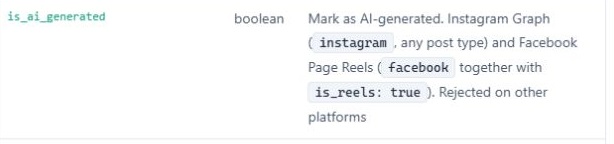
You can also set is_ai_generated for Instagram Graph posts and Facebook Page Reels through the Public API or MCP.
Improvements
More resilient publishing
Improved handling of brief connection interruptions during publishing. Automatic reconnection and better task recovery help reduce failed or stuck posts.
Bug fixes
Analytics PDF reports
Fixed PDF exports for Facebook, Instagram and TikTok that could previously stop at 90%. Reports download again, and chart labels and dates display without clipping or overlap.