

Early 2026 has been a busy one for Onlypult. We’ve rolled out a series of updates that make everyday content work simpler and faster. You can now create posts прямо from your browser, manage content more flexibly in the calendar, cross-post faster, and handle Instagram and media more smoothly.
This release includes both major features and dozens of small improvements that save time every day for teams, agencies, brands, and creators. Less manual work, fewer extra clicks — and fewer surprises between what you expect and what actually gets published.
Create posts while browsing
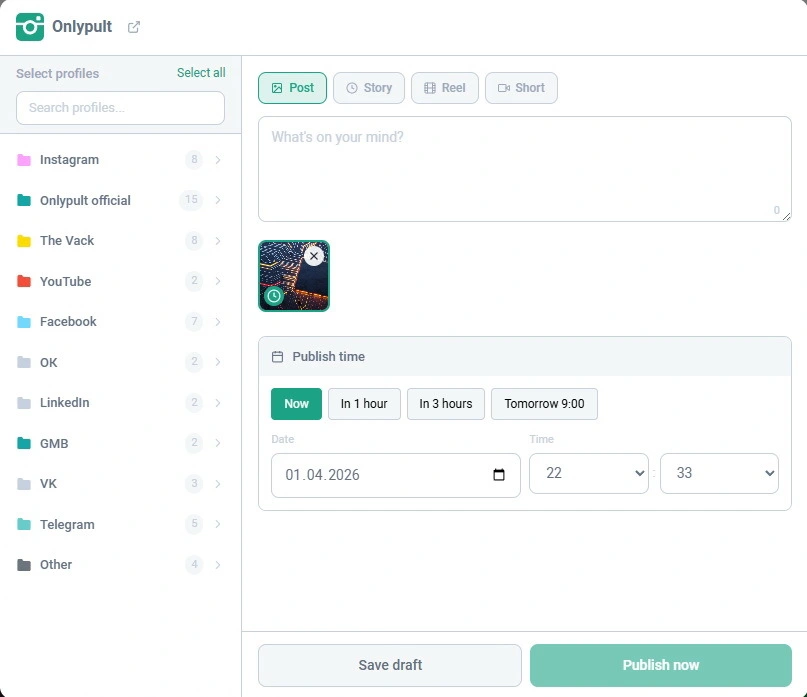
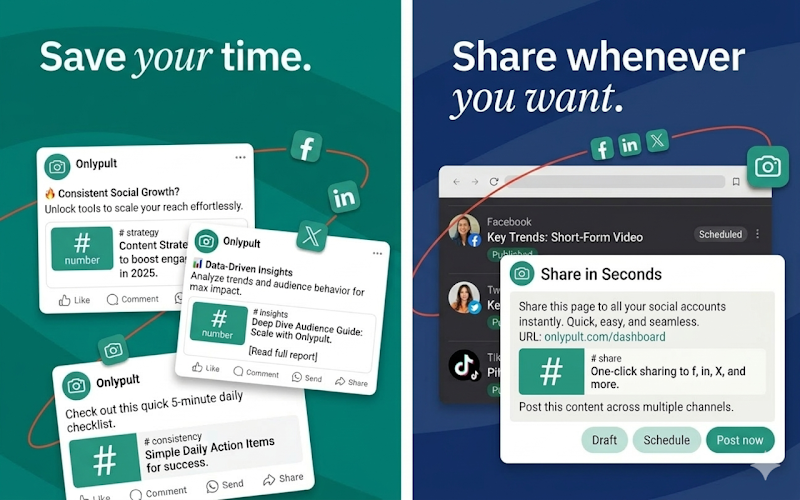
The Chrome Extension is now much more useful in day-to-day work. You can create posts in Onlypult while browsing websites with media: find a relevant piece of content, spot a strong visual, save an idea, and turn it into a post without breaking your flow.
This is especially helpful if you collect content on the go — for marketers, editors, SMM teams, and agencies. The shorter the path from idea to publication, the easier it is to keep a consistent content rhythm.
A calendar that actually works as a control centre
The Publishing calendar got a serious upgrade. It’s now flexible enough to manage content, not just visualise it.
What’s new:
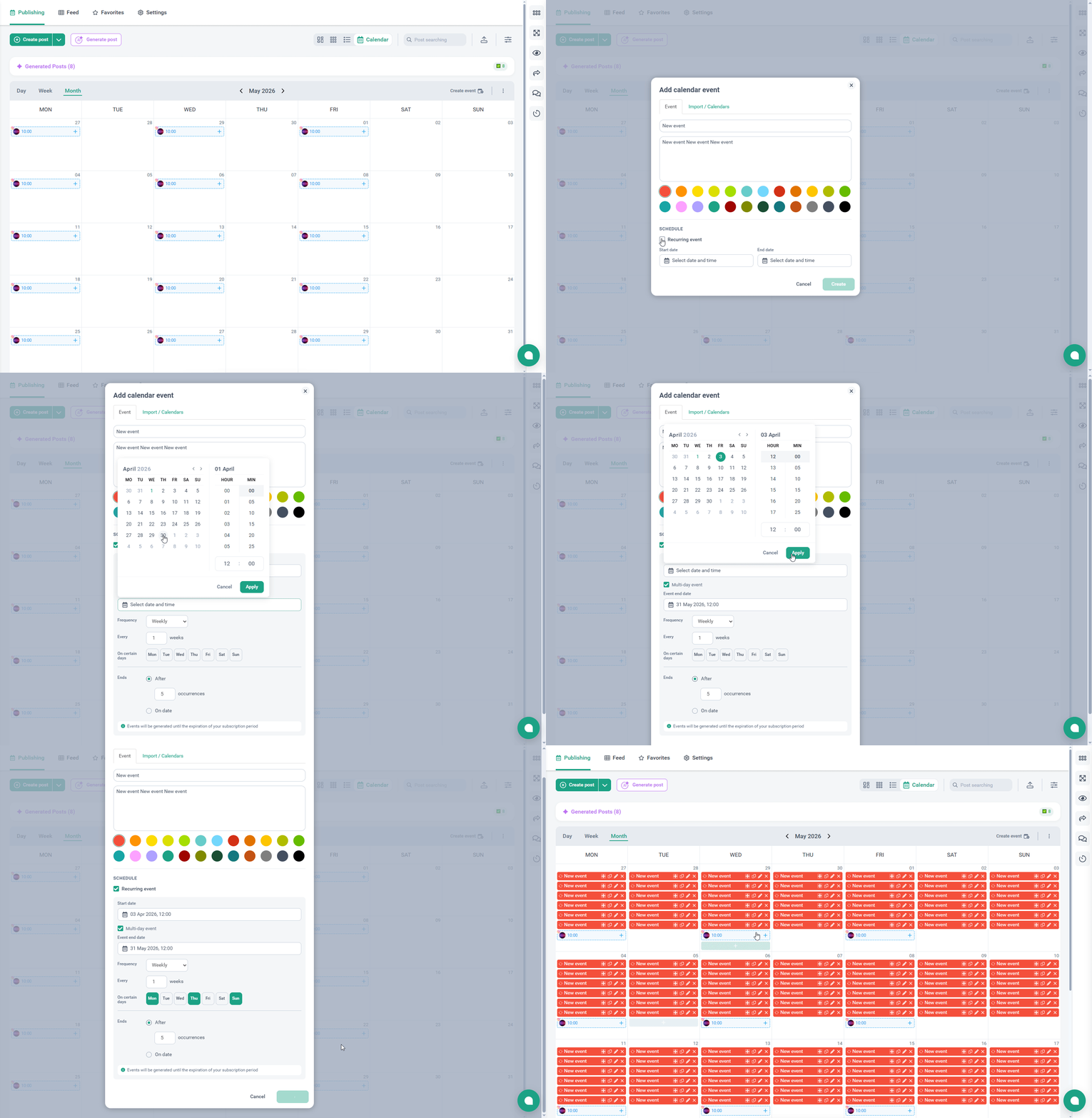
- ICS calendar import
- recurring events with custom rules
- single-day and multi-day events
- event duplication
- creating posts directly from calendar events
The calendar is no longer just a visual planner — it’s a working tool. You can manage recurring content, campaigns, deadlines, and ongoing activities in one place.
This is especially useful for teams whose content plans are tied to internal schedules or other calendars — everything stays aligned instead of scattered across tools.
One of the most practical updates: creating posts directly from events. Plan → create → publish, all in one place, without extra steps.
Faster cross-posting
We optimised the post creation flow for multiple profiles. Previously, data was loaded separately for each account — now it’s handled in a single request.
What this means:
- faster loading
- smoother interface
- better performance for large posts
If you regularly publish the same content across multiple accounts, the difference is immediately noticeable.
Easier media handling
Working with media in Publishing is now much simpler. You can drag and drop entire folders or paste files with Ctrl+V — for example, screenshots from messengers or system tools.
What this improves:
- faster bulk uploads
- less manual assembly
- fewer repetitive actions
Another useful detail: every Ctrl+V action creates a new post draft. This makes it easy to quickly distribute multiple assets into separate posts.
If you work with high content volume, this saves a lot of time.
More reliable post import
We fixed an issue where posts could fail to create during import. Now the system retries automatically, making the process more stable.
In practice:
- fewer failed imports
- less manual checking
- less time spent fixing technical issues
If you prepare content in bulk, this makes the workflow much more predictable.
Instagram: more accuracy, better connection, more control
Several important improvements for Instagram — all focused on making publishing more reliable.
What’s new:
Accurate preview
After cropping or adding padding, the preview now matches the final published result, including the cover. Fewer surprises after posting.
More stable connections
We updated business account connections via Facebook Login and Instagram Login and improved the API layer. This makes integrations more reliable overall.
Mentions in Stories
You can now tag users in Stories just like in regular posts — useful for collaborations and branded content.
Trial Reels
Some accounts now have access to Trial Reels. You can first show a Reel to non-followers, test performance, and then decide whether to publish it to your main audience. If it performs well, you can publish it manually — or let Instagram do it automatically.
Overall, it’s easier to test ideas without risking your main feed.
More flexibility for YouTube, Facebook Stories, and Pinterest
We’ve also lifted some practical limitations across other platforms.
YouTube — up to 10 posts per day per account
Great for teams with a high publishing volume
Facebook Stories — videos up to 60 seconds
No need to cut or adapt content unnecessarily
Pinterest — text limit increased to 800 characters
More room for meaningful descriptions
Analytics and stability: fewer issues, more clarity
We continue improving platform stability behind the scenes.
- fixed an issue where Facebook profiles could incorrectly switch to inactive
- updated Page Insights metrics to match the current Meta API
- improved internal integrations
These changes may not be visible, but they reduce random errors and make day-to-day work more predictable.
Where to start
If you want to try the most useful updates first:
- test the calendar: ICS import + recurring events
- try creating posts directly from your browser via the Chrome Extension
- explore Instagram updates: preview, Story mentions, Trial Reels
In short
This release isn’t about one big feature — it’s about making everyday work smoother. Less routine, fewer interruptions, fewer surprises — and more control over your content.
Try the new features in Onlypult and see how they improve your workflow.