
Onlypult has released a major update with new tools designed to make content management and social media publishing more convenient and efficient.
This release introduces a File Manager for storing and organizing media, direct Instagram integration with Social Inbox via the official API, more flexible retry settings for failed posts, alt text support for Bluesky and Tumblr, and a translation widget for developer pages.
Here’s a closer look at what’s new.
File Manager: Keep All Your Media in One Place
Onlypult now includes a File Manager — a dedicated space where you can store and organize the images and videos you use for your social media content.
Instead of finding the right file on your computer and uploading it every time you create a post, you can now save your media in Onlypult and reuse it whenever you need it.
What can you do with the File Manager?
You can:
- Upload images and videos for future posts
- Select saved media directly when creating a post
- Create folders to organize your content
- Rename and delete folders
- Move files between folders
- Manage individual files or multiple files at once
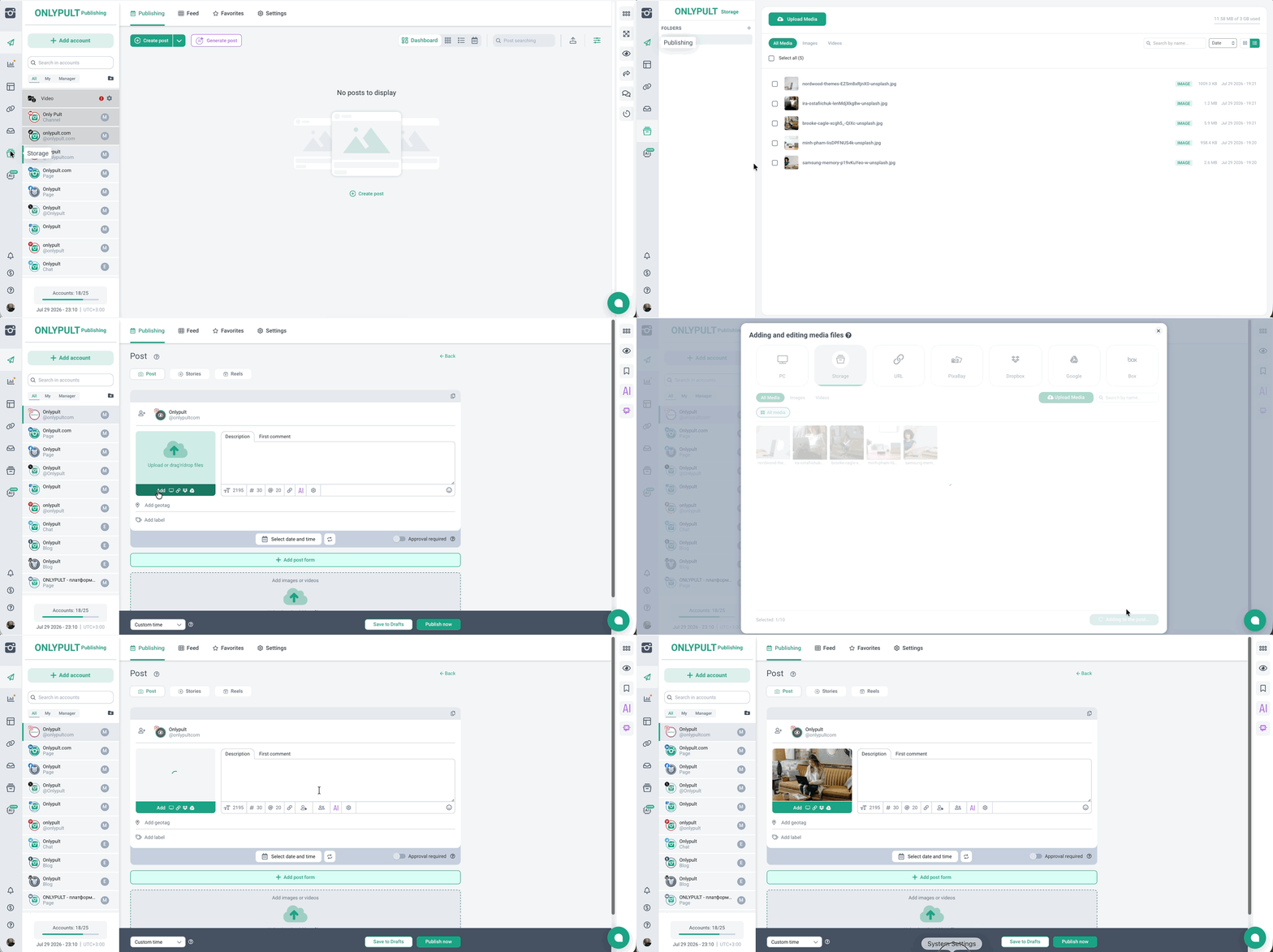
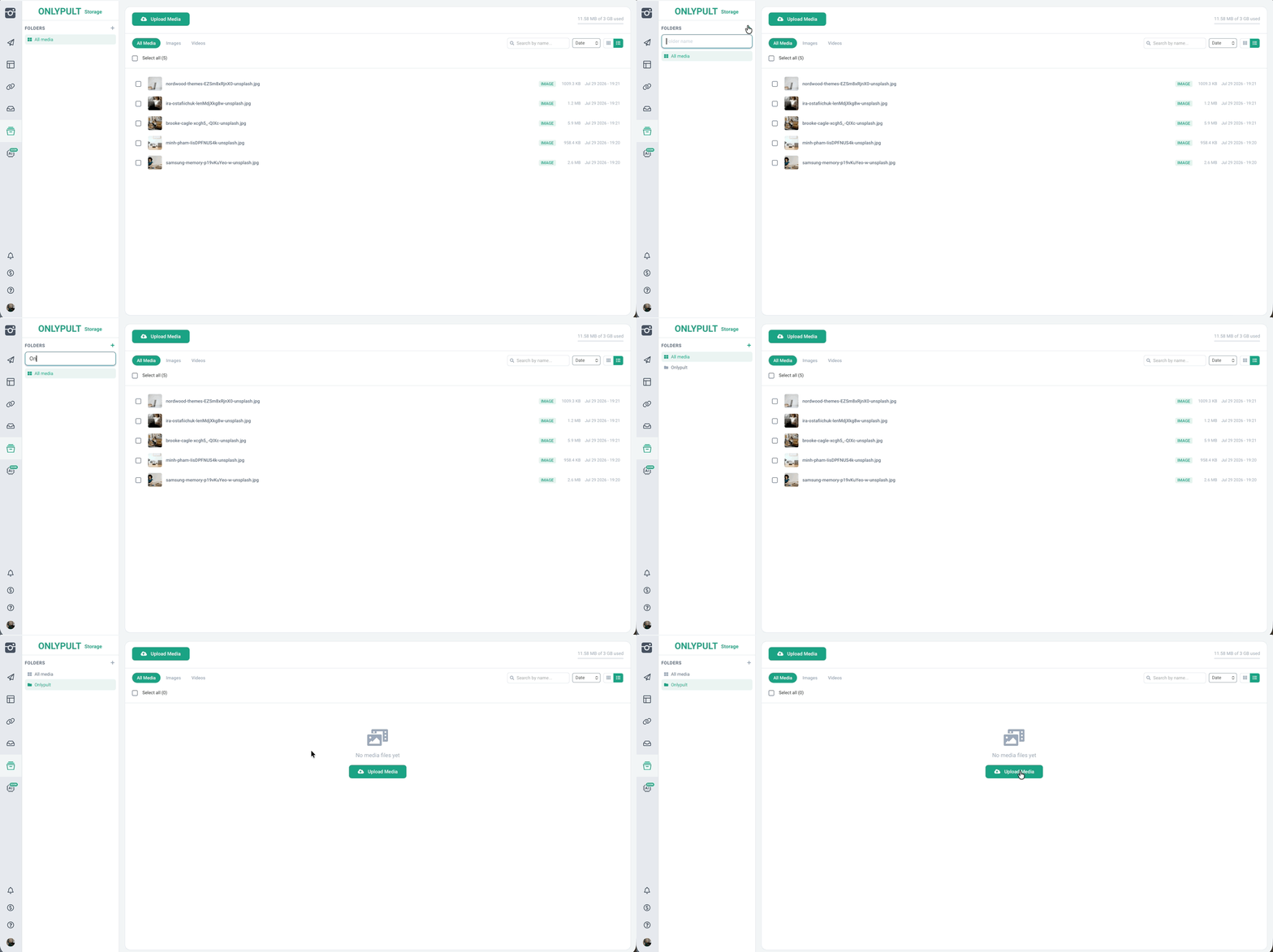
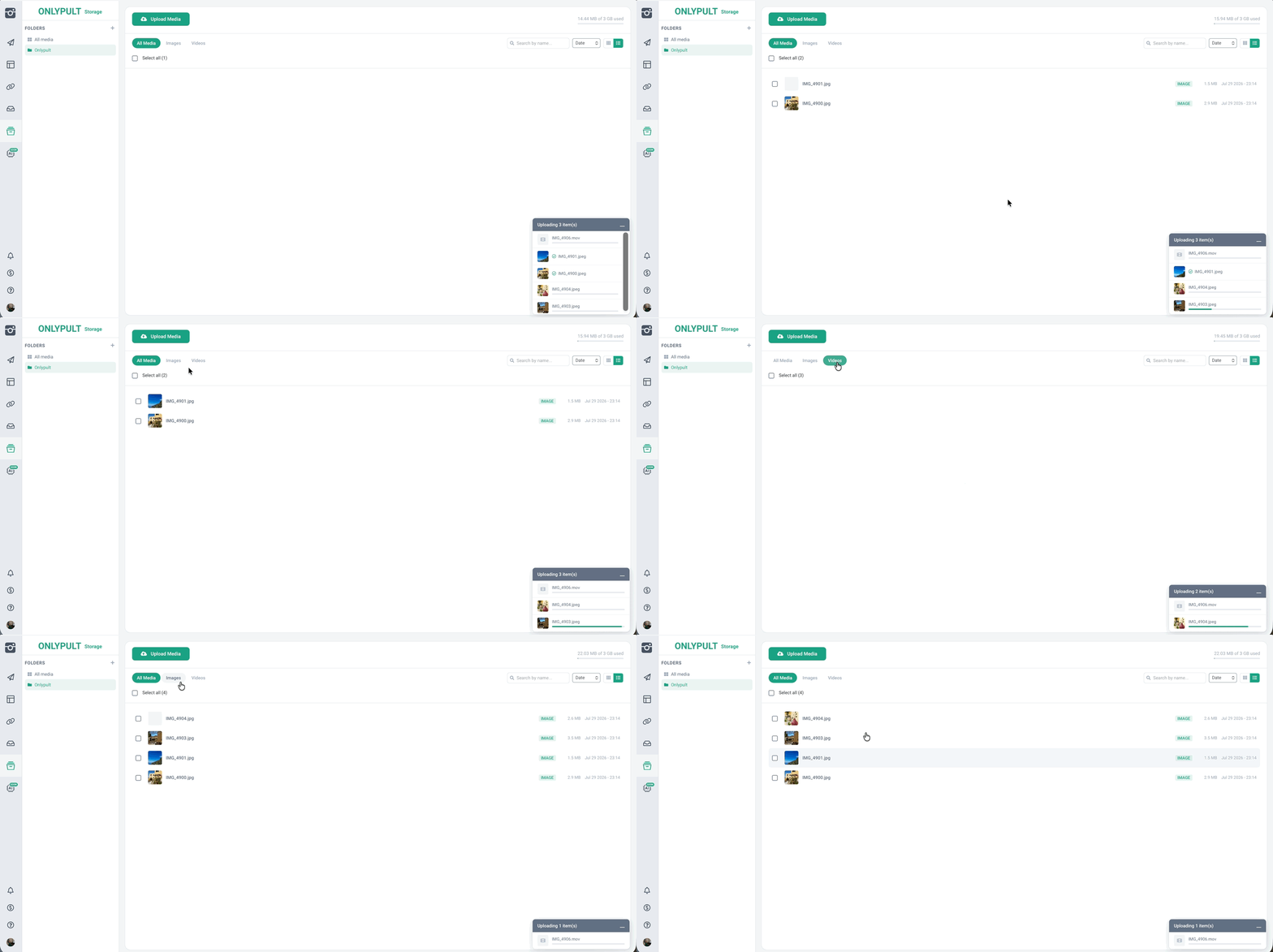
This can be especially useful if you work with a large media library or manage content for multiple projects. For example, you can create separate folders for different brands, social networks, campaigns, or content plans.
What happens to a file after you publish it?
When you add a saved file to a post, Onlypult creates a copy for the publication. The original file remains safely stored in the File Manager.
This means publishing a file doesn’t affect the original, so you can reuse it in other posts whenever you need it.
The available storage space and maximum file size depend on your subscription plan.
Social Inbox: Connect Instagram Directly
Managing Instagram messages in Onlypult is now easier.
Instagram Business and Creator accounts can now be connected directly to Social Inbox through the official API login, without having to connect them to a Facebook Page.
Once connected, you can receive and reply to Instagram direct messages right from Onlypult.
This brings messaging and content management together in one workspace and eliminates unnecessary steps when connecting your Instagram account.
More Flexible Retry Settings for Failed Posts
Sometimes a post fails to publish because of a temporary error. With the latest update, Onlypult gives you more control over automatic retries.
You can now enable or disable automatic retry attempts for each social profile individually.
The setting is available:
- In the social profile settings
- Directly in the post creation form
Automatic retries are enabled by default, but you can adjust the setting whenever you need to.
This is particularly useful for scheduled content, where you don’t want a temporary issue to leave an important post unpublished.
Alt Text for Bluesky and Tumblr
Onlypult is also expanding its accessibility features.
You can now add alternative text to images when publishing to Bluesky and Tumblr, directly from the post editor.
The character limits are:
- Bluesky: up to 2,000 characters
- Tumblr: up to 4,096 characters
Alt text helps people who use screen readers understand the content of images, making your social media content more accessible to a wider audience.
Translation Widget for Developer Pages
The update also brings improvements beyond social media management.
Onlypult has added a translation widget to developer pages, making documentation and interfaces more accessible to users around the world.
This is especially useful for products with an international audience, helping users navigate documentation and find the information they need without being limited by language barriers.
What’s New in Onlypult?
This update focuses on several key areas: content organization, easier publishing, messaging, accessibility, and support for additional platforms.
The new File Manager keeps your media library organized and accessible, while direct Instagram integration makes Social Inbox easier to set up and use. Automatic retries help make scheduled publishing more reliable, and alt text gives you more options for creating accessible content.
All of these new features are now available in Onlypult. Give them a try and see how they can fit into your content workflow.