
The Onlypult editor now includes Telegram and VK polls, Telegram Story stickers, and music for Instagram Reels. A connected AI assistant can also work with data from Onlypult Analytics.
Polls for Telegram and VK
Add a question and between 2 and 10 answers to a post. Followers vote in the social network itself. You can allow multiple answers or anonymous voting where the platform supports them. For example, ask readers to choose the topic of your next post.
Telegram also supports quizzes with a correct answer and explanation, a setting to prevent vote changes, and a closing time. Channel polls are always anonymous. Check the poll in the preview before publishing.
Polls cannot be added to Stories. In Telegram, they cannot be combined with media or blog view. When publishing through a bot, the post text arrives as a separate message above the poll.
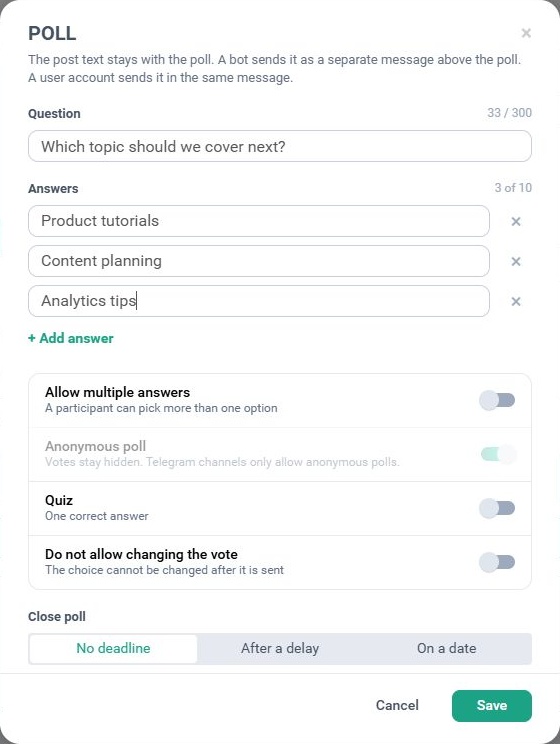
In a Telegram profile, open Create post → Add poll. Enter the question and answers, choose the voting settings and click Save.
Telegram Stories with stickers
Prepare and schedule Telegram Stories in Onlypult with text, location, reaction or link stickers. Find locations on the map. For an event announcement, you could add the address and a registration link.
Story availability depends on the connected Telegram profile.
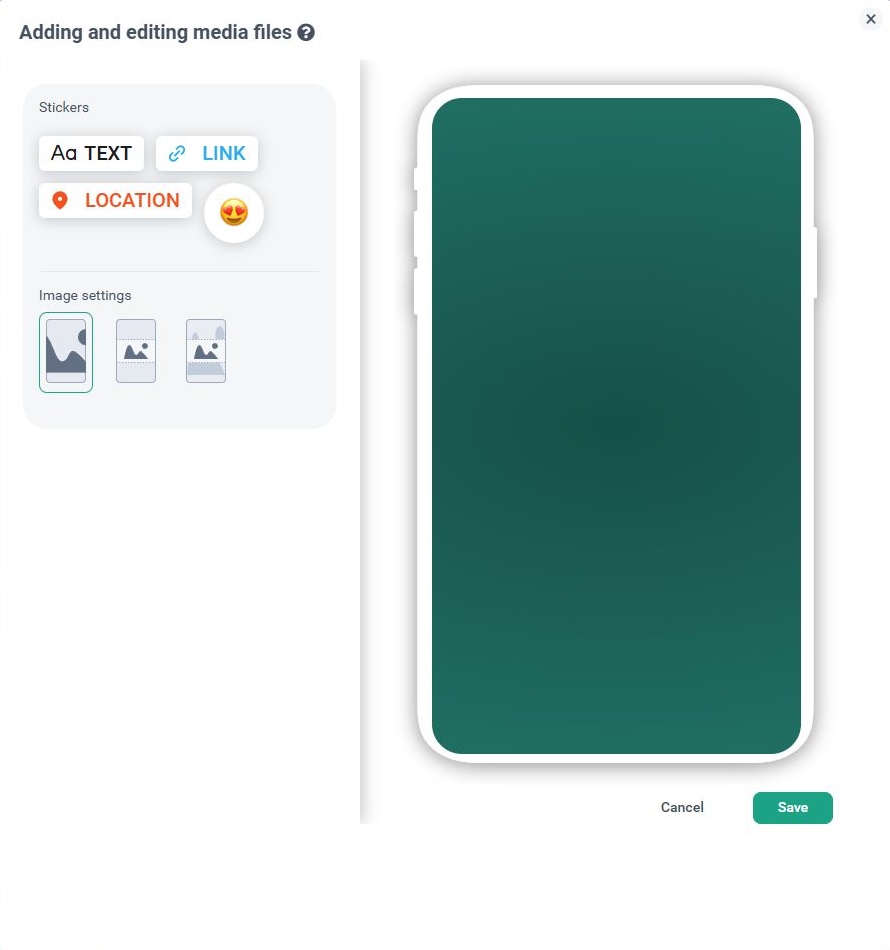
Choose Create Stories and upload an image or video. Open Edit → Stickers, choose TEXT, LINK, LOCATION or a reaction, and check the sticker’s position in the preview.
Music for Instagram Reels
Search for a track or choose from trending audio. Music and original sounds are available. Adjust the track and the video’s original audio separately, for example by lowering the music when someone is speaking.
Music is unavailable for accounts connected through Instagram Login.
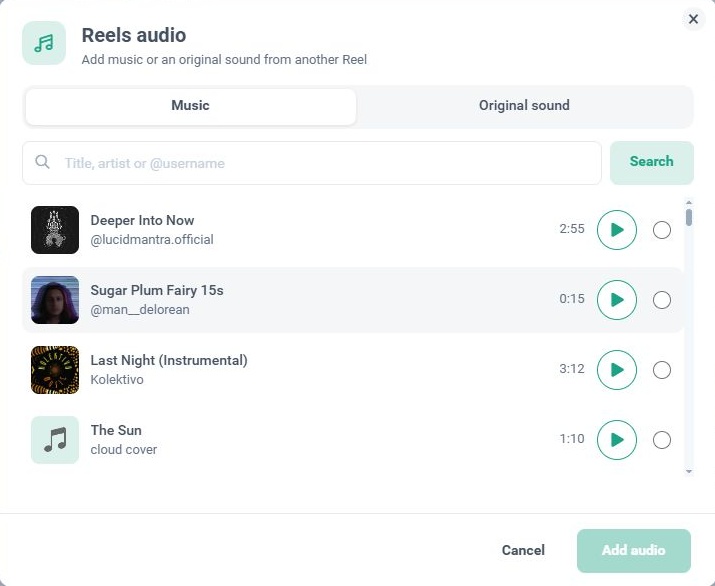
In an Instagram profile, open Create post → Reels → Add audio. Find a track under Music or Original sound, listen to it, select it and click Add audio.
Media grids and comments on VK
Display media in a VK post as a carousel or a grid. You can also turn off comments for an individual post.
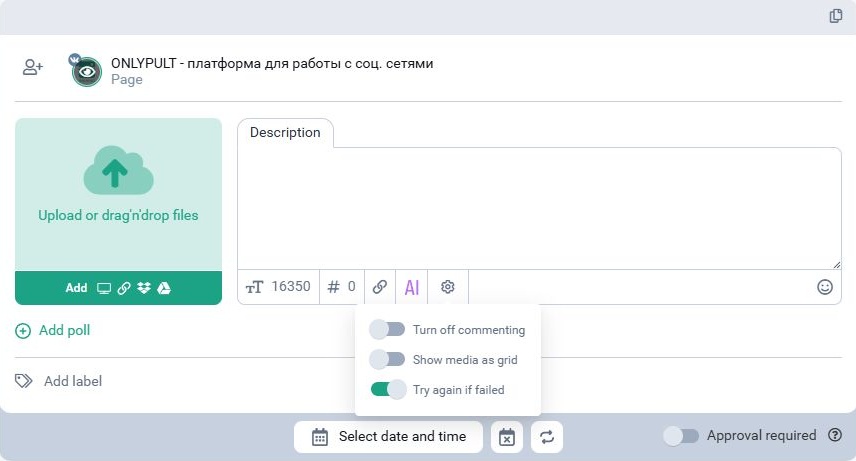
Add your media and click the gear icon below Description. Turn on Show media as grid for a grid layout or Turn off commenting to disable comments.
Analytics through an AI assistant
Onlypult’s MCP integration now supports Analytics. A connected AI assistant can retrieve account and post metrics, compare periods and analyze results from a request in everyday language.
For example: “Compare this account’s results for the last two weeks with the previous two weeks. Which posts received the most interactions?”
You need a compatible MCP client connected to Onlypult and access to Analytics data. Available metrics depend on the platform and account. Include the profile, dates and metrics in your request.
See our API and MCP article for connection instructions.
Other updates
Add an image to a Project, such as a client’s logo. The calendar now shows publishing times for scheduled crossposts.
The Public API and MCP have new settings for VK and Instagram comments, VK media grids and pinned messages in MAX.
Publishing limits for X depend on your Onlypult plan and apply across your account. Posts with links have a separate limit. Onlypult displays a message when a limit is reached.