

Planable is a strong tool for visual collaboration and post approval, and it schedules and publishes to 9 networks. The real differences are elsewhere. Onlypult publishes to 16 channels, including VK, Telegram, and blogs like WordPress and Medium, uses flat pricing instead of per-workspace, and its AI also generates images and full posts. Below is an honest comparison, including where Planable is the stronger pick.
What Planable is
Planable is a content collaboration and approval platform. Teams and clients see a post exactly as it will appear in the feed, comment directly on it, and move it through multi-level approval. Work is organized by workspace, one space per client or brand. Planable also schedules and publishes to 9 networks and handles long-form docs like newsletters and blog posts. Its core strength is pixel-perfect previews and a clean approval flow.
What Onlypult is
Onlypult is a platform for publishing and managing social media, blogs and messengers from one place. It includes a scheduler and publishing to 16 channels, a built-in multi-level approval workflow, built-in analytics with white-label reports, a link-in-bio and micro-landing builder (Builder), a Social Inbox, and a link shortener (Shorty). It is built for agencies, in-house teams and business owners who need the full loop: create, approve, publish, measure.
Onlypult vs Planable
| Criterion | Onlypult | Planable |
|---|---|---|
| Channels | 16: the 9 Planable has, plus VK, Telegram, Odnoklassniki, Tumblr, WordPress, Medium and Bluesky | 9 (Facebook, Instagram, X, LinkedIn, TikTok, Pinterest, YouTube, Google Business, Threads) |
| Blog publishing | Publishes to WordPress and Medium | Marks blog or newsletter as published manually |
| Scheduling and approval | Schedule, recurring posts, multi-level approval, pixel-perfect previews | Schedule, recurring posts, multi-level approval, pixel-perfect previews |
| Pricing model | Flat plans, independent of workspace count | Per-workspace, scales with client count |
| AI | Text, plus image and full-post generation | AI captions, hashtags, rewrite (text-focused) |
| Analytics and reports | Built-in; white-label on Agency and Pro; export to XLS, PDF, PPT | Built-in; PDF or link, automatic monthly |
| Social Inbox | Included; service-desk features (SLA timers, CSAT, routing) | Paid add-on per workspace |
| Link-in-bio / landing pages | Builder included | No |
| Link shortener | Shorty, with UTM and click analytics | No |
| Team access | Delegate publishing without sharing the password | Workspace roles and permissions |
| Canva integration | Not yet | Yes |
| Free plan | No (7-day trial, no card) | Yes, with limits |
| Publishing reliability | Under 1% failed posts (internal analytics) | - |
Check current pricing and feature sets on the official sites. Plans change.
The key differences
1. More channels, plus real blog and messenger publishing
Both tools schedule and publish, so this is not “one publishes and the other does not.” The difference is reach. Planable publishes to 9 networks: Facebook, Instagram, X, LinkedIn, TikTok, Pinterest, YouTube, Google Business and Threads. Onlypult publishes to those same 9, plus seven more: VK, Telegram, Odnoklassniki, Tumblr, WordPress, Medium and Bluesky. Two of those matter in practice. Onlypult actually publishes to blogs like WordPress and Medium, while Planable only lets you mark a blog or newsletter as published by hand. And Onlypult posts to Telegram, which Planable does not cover at all.
2. Flat pricing instead of per-workspace
Planable charges per workspace: $39/mo for Basic and $59/mo for Pro, with analytics ($14) and a social inbox ($9) as per-workspace add-ons, so the cost grows as you add clients and modules (annual billing is cheaper). Onlypult uses flat plans: Start, SMM, Agency and Pro, each with fixed profile and seat limits. Pricing starts at $25/mo. For an agency with many clients, a predictable flat model is often better than paying for each workspace. Extra accounts and seats above a plan’s limit are billed separately, so factor that into the math.
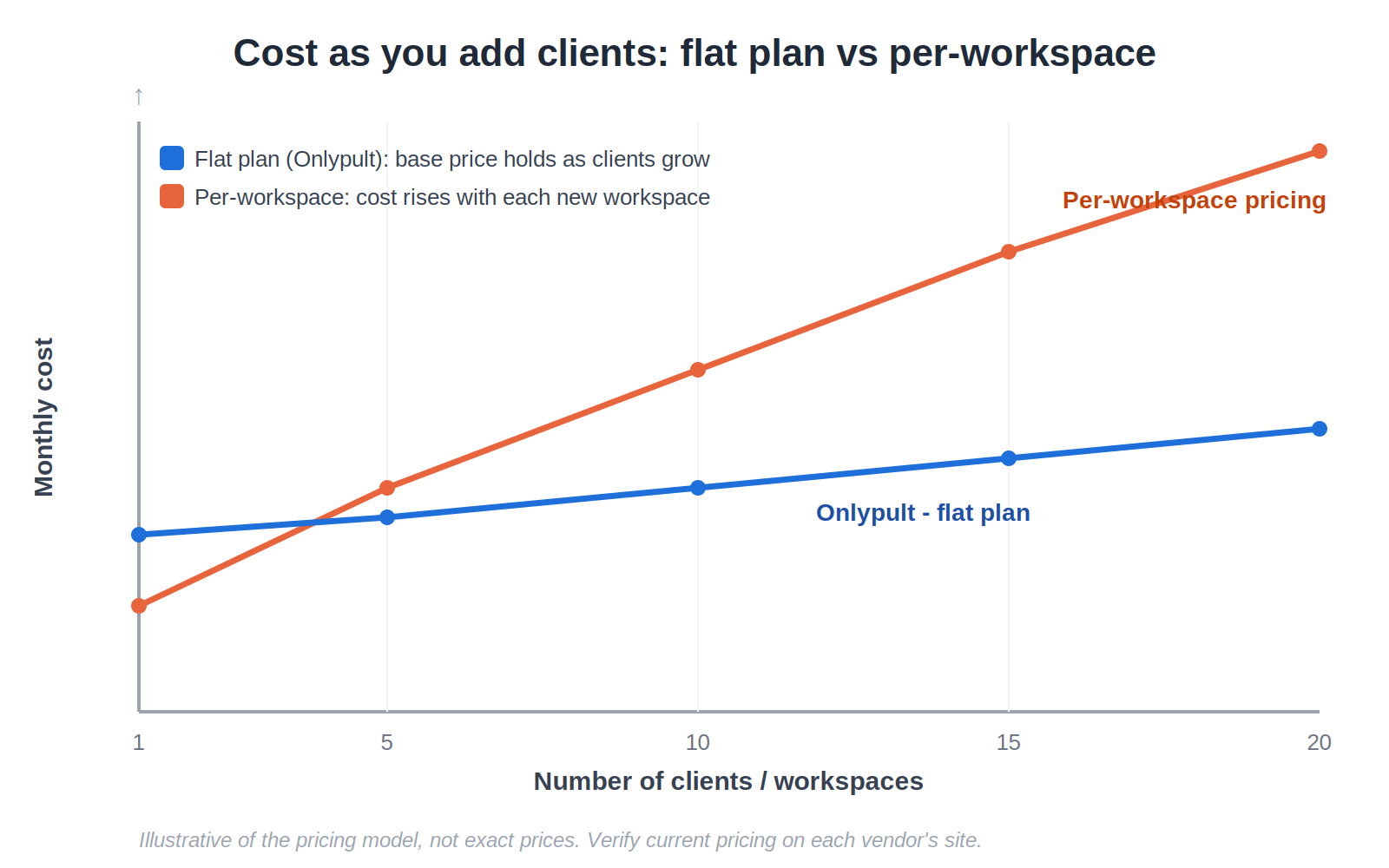
Figure. Flat plan vs per-workspace pricing as the number of clients grows. Illustrative of the model, not exact prices.
3. AI that also makes images and full posts
Both tools have AI for text. Planable writes captions, hashtags and rewrites, so it is text-focused. Onlypult does that too, and it also generates images and full ready-to-post drafts. The variants land in a draft, move to approval, then to publishing. AI helps at the preparation stage. It does not “magically run your social media for you.”
4. White-label reports, link-in-bio and a link shortener included
Both tools have analytics and reports. Onlypult adds white-label reports on the Agency and Pro plans, and exports to XLS, PDF and PPT, so you can hand clients a report under your own brand. It also includes Builder for link-in-bio and micro-landing pages, plus Shorty, a link shortener with UTM tags and click analytics. Planable has neither a link-in-bio builder nor a link shortener, so those usually mean extra subscriptions elsewhere.
5. Social Inbox included, not a paid add-on
Both tools have a Social Inbox. Planable’s is a paid add-on billed per workspace, covering comments and DMs on Facebook, Instagram, LinkedIn and TikTok. Onlypult’s is part of the platform and covers Instagram, Facebook, Threads and Google Business, with service-desk features like SLA timers, CSAT, smart routing and roles. The channel coverage differs, so check the networks you actually need.
6. Built-in approval and team access without passwords
Both tools have built-in, multi-level approval with pixel-perfect previews, so you do not lose approvals by choosing Onlypult. Onlypult also lets you give a team member publishing access without sharing the social account password, which lowers the risk when working with client accounts.
When Planable is the better choice
To be fair, Planable is the stronger pick if:
- you rely on Canva, Slack or Zapier integrations, which Planable has on all plans and Onlypult does not yet; Onlypult’s own public API and MCP connector are rolling out on all plans;
- you plan long-form content like newsletters, blogs and briefs in the same Universal Content space, with Slack;
- you want a free plan to start;
- you need project and workspace organization today, which Planable has and Onlypult is still rolling out.
If your team lives inside the review process, Planable does that very well.
When Onlypult is the better choice
Onlypult fits better if you need:
- publishing to more channels, including VK, Telegram, Odnoklassniki and real blogs like WordPress and Medium;
- flat pricing that does not grow with every new workspace;
- AI that also generates images and full posts, not just captions;
- white-label reports, a link-in-bio builder and a link shortener without extra modules;
- a Social Inbox included rather than a paid per-workspace add-on;
- team access without sharing account passwords;
- reliable publishing, under 1% failed posts by internal analytics.
Planable-style organization by projects and workspaces is on the way in Onlypult. Today content is organized by profiles and folders.
Verdict
Planable is strong when visual collaboration and approval are the center of your process, and it publishes too. But if you need more channels, including VK, Telegram and real blogs, flat pricing instead of per-workspace, AI that also makes images and full posts, and a link-in-bio builder and link shortener in one tool, Onlypult covers more ground. You can try it on a 7-day trial with no card.